Private AI Meeting Notes for Google Meet.
No Bots Allowed.
Capture decisions, action items with owners, and instant follow-up emails directly from your browser—without host approval or awkward bots joining your meeting.
No credit card required · Works seamlessly with Google Meet on Chrome
Open Google Meet call
AI captures decisions & action items
Sync with Notion/CRM or send follow-up
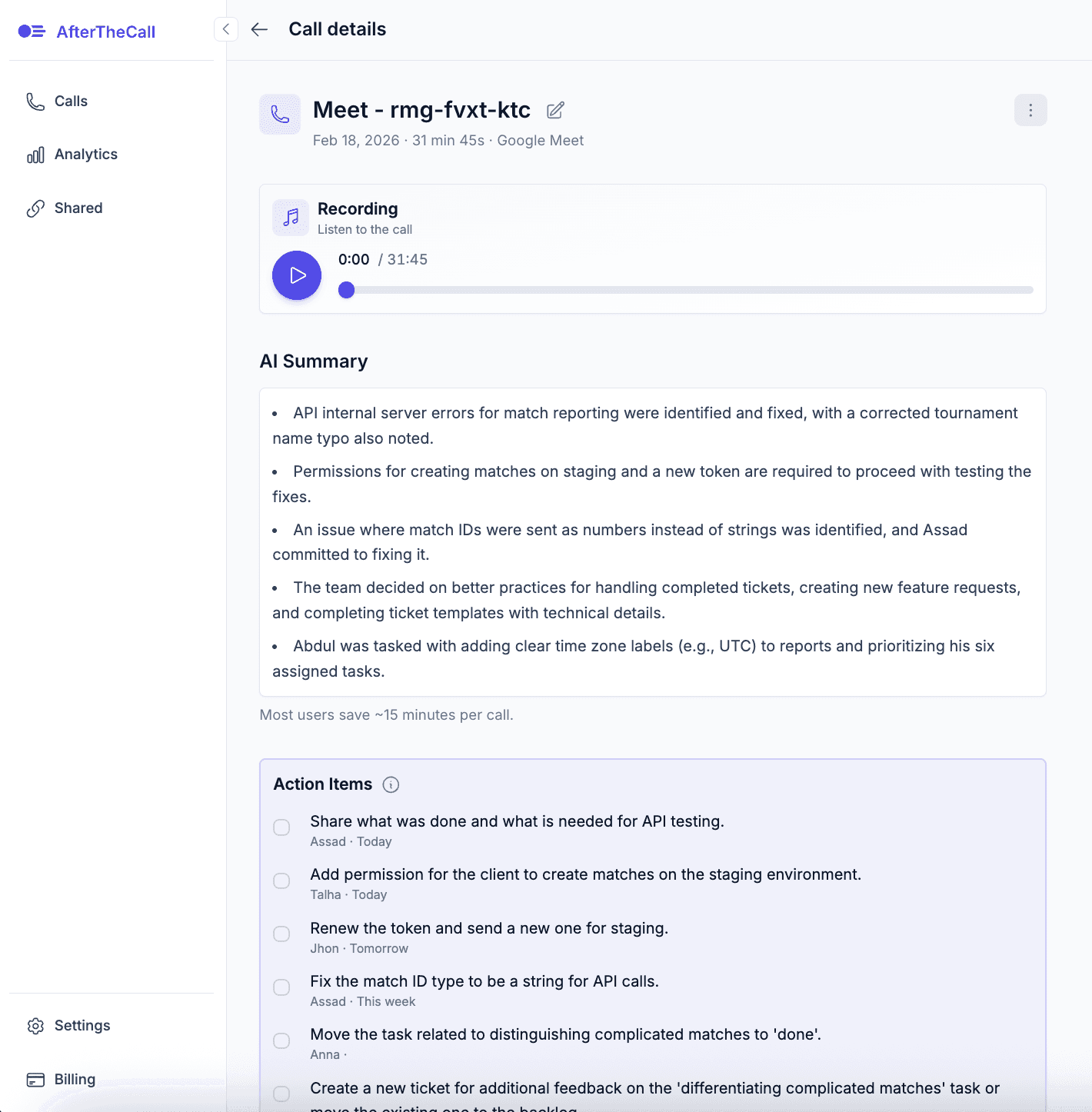
See your Google Meet call summaries in one place
Summaries, action items, transcripts and follow-ups ready immediately after every call.
The Secret Sauce for Google Meet
While basic Google Meet transcription tools struggle with mid-call code switching and background noise, AfterTheCall is built on the Universal-2 Architecture—the world's most advanced engine for understanding human speech across 100+ languages and accents.
Everything you get for Google Meet
Turn your conversations into clear commitments automatically.
Bot-Free & Privacy First
No bot accounts join your Google Meet room. You control recording directly from your browser extension.
Client-Ready Summaries
Extract core executive decisions, project milestones, and next steps immediately when the Meet call ends.
Action Items with Owners
Automatically extract clear ownership and deadlines for every action item discussed during the meeting.
Instant Follow-up Email
Draft tailored follow-up emails in seconds with full meeting context ready to send to clients.
Code-Switching Friendly
Accurately handles meetings switching mid-sentence between languages (e.g., 70% Spanish and 30% English).
Notion & CRM Sync
Export your Google Meet notes directly into Notion, HubSpot, Google Docs, Jira, and Confluence.
How AfterTheCall Compares on Google Meet
Why agency owners and freelancers prefer our extension over traditional meeting bots.
| Feature | AfterTheCall | Tactiq | Otter / Fireflies |
|---|---|---|---|
| Google Meet Bot Required? | No Bots (100% Private) | No Bots | Yes (Requires Bot Entry) |
| WhatsApp Web Call Support | Yes (Pioneer) | No | No |
| Bilingual Code-Switching | Universal-2 Engine | Basic | Fails on Language Switches |
| Instant Follow-up Email Builder | Included | Manual Copy | Generic Summary |
Frequently Asked Questions
Does AfterTheCall require permission for a bot to join Google Meet?
No. AfterTheCall is a Chrome extension that captures call audio locally through your browser session with your explicit approval. No external bot profiles enter or record your meeting.
Can I export my Google Meet summaries directly to Notion or Google Docs?
Yes! With one click, your call transcripts, action items, and executive summaries can be pushed to Notion, Google Docs, HubSpot CRM, Jira, or Confluence.
How many calls can I transcribe for free?
You can try AfterTheCall for free with 3 client calls. No credit card is required to get started.
Never forget a Google Meet commitment again.
Start free — takes 30 secondsNo credit card required